Using Jev to Make Remote Decisions on an ESP32
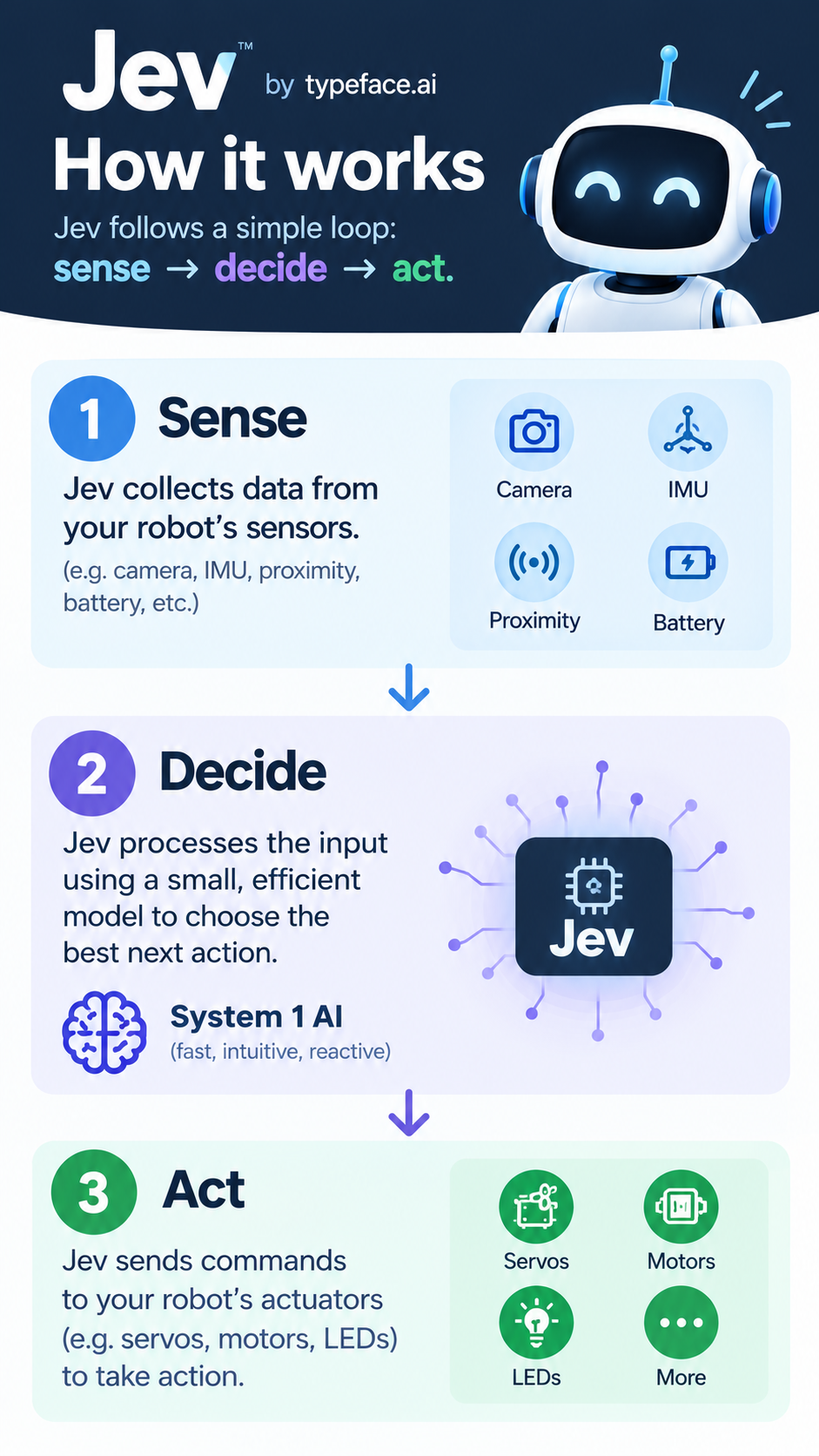
When a robot has sensors, motors, and a network connection, the difficult part is often not making it move. The difficult part is deciding what the current state means and choosing a useful next action.
Jev provides a way to put that decision behind a typed API. An ESP32 can send its current state, ask a constrained question, and receive a structured answer that firmware can validate and turn into an action. This post explains the approach and the pieces needed to create a standalone implementation without depending on a particular robot library.
What is Jev?
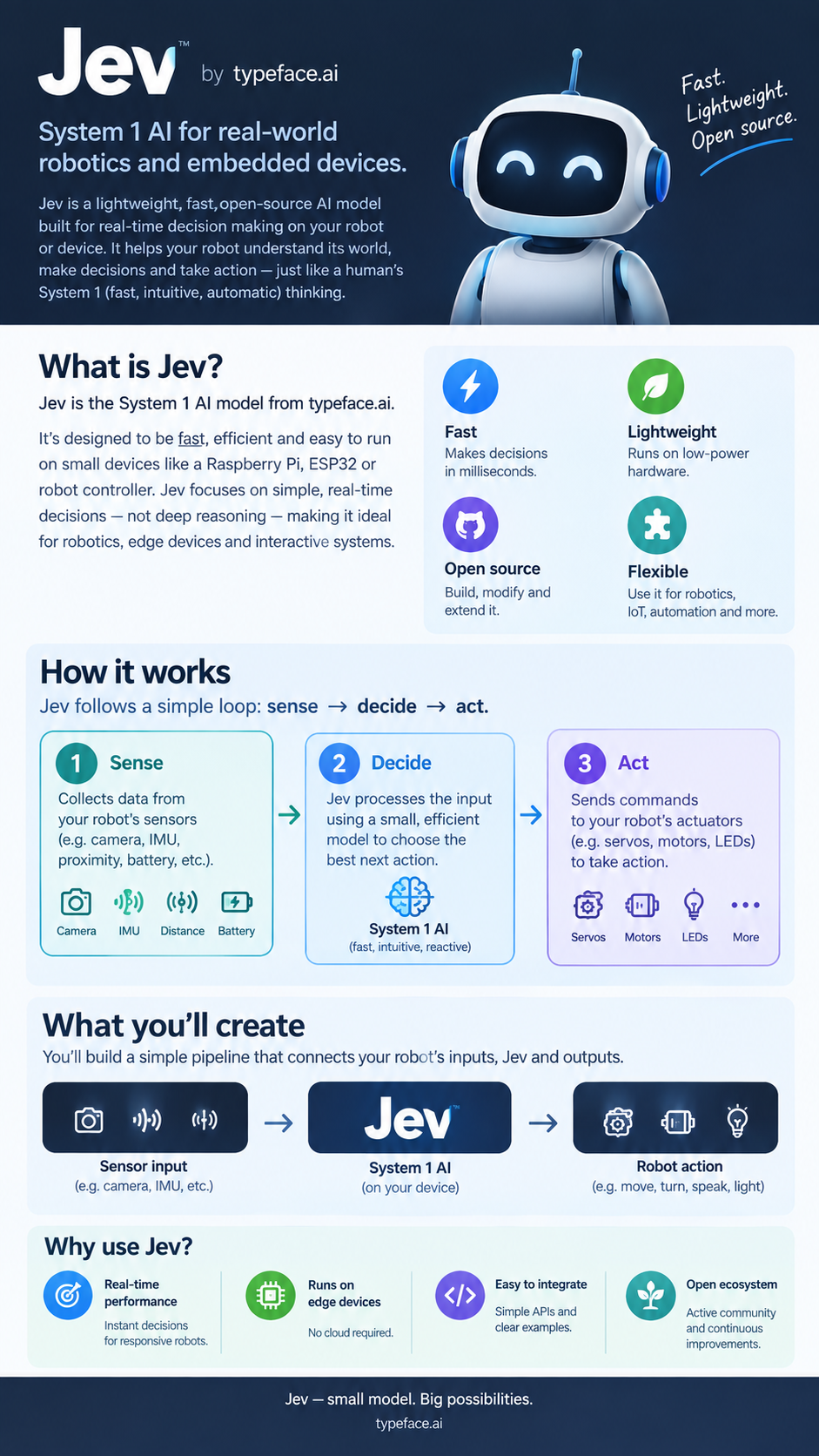
Jev is the TypeSafe AI System One API. Instead of asking a language model for free-form text, an application sends a state, a typed question, and criteria. Jev evaluates that state and returns a typed result:
choiceselects one item from named criteria.scorereturns a number between zero and one.noulreturns a boolean-like value between zero and one.
That distinction matters on a microcontroller. A robot can use left, right, or center directly as a control decision, while a score can be converted to a movement amount. The firmware does not need to parse prose or guess what a response means.
Jev is useful when the input is richer than a single threshold but the output still needs to fit a known interface. For example, a robot can send its current servo positions and IMU readings, ask whether its standing pose is stable, and receive a score that the firmware can validate before continuing.
The benefits are:
- Structured output: the result has a known type and predictable shape.
- Contextual decisions: the question can include the complete current robot state instead of only one sensor value.
- Clear constraints: criteria explain what each choice or score means.
- A small firmware API: the robot only needs one request method and a callback.
- Remote updates: decision logic can change in the Jev request without reflashing the ESP32, while firmware retains control over safety limits.
The last point is important: Jev chooses within the rules supplied by the firmware, but the firmware should still validate every response before moving hardware.
A small client design
A standalone implementation can keep the Jev-facing interface small. The client needs to store the API key, submit a request over HTTPS, parse the response, and report either a typed value or an error.
1
2
3
4
5
6
7
8
9
10
11
12
13
14
15
16
struct JevResult {
  String type;
  String value;
  String probabilitiesJson;
  String error;
  bool success = false;
};

class JevClient {
public:
  void begin(const char *apiKey);
  bool busy() const;
  void ask(const String &state, const String &type,
           const String &instructions, const String &criteriaJson,
           std::function<void(const JevResult &)> callback);
};
The implementation can use a FreeRTOS task or a non-blocking request state machine. Either approach is preferable to holding up the main control loop while waiting for a remote response. It should also reject a second request while one is in flight, since a small robot usually has no reason to queue stale decisions.
The HTTPS request is a POST to https://api.typesafe.ai/v1/systemone. Send the API key as a bearer token and set Content-Type: application/json. A request body has this general shape:
1
2
3
4
5
6
7
8
9
10
11
12
13
14
15
16
17
18
19
{
  "state": {
    "robot": {
      "state": "standing",
      "imu": {"roll": 2.4, "pitch": -1.1}
    }
  },
  "model": "jev-latest",
  "questions": {
    "answer": {
      "type": "noul",
      "instructions": "Is the robot stable enough to continue?",
      "criteria": {
        "true": "Roll and pitch are close to level.",
        "false": "The robot is tilted significantly."
      }
    }
  }
}
When building the body, parse the state string and insert it as a JSON object. Do not insert it as an escaped string, otherwise Jev will see text instead of the sensor fields. For choice, read the returned choice field and, when available, preserve its probabilities object. For score and noul, read the corresponding numeric field.
Configure the ESP32
PlatformIO can pass network credentials and the Jev API key into the firmware at build time. This keeps secrets out of source files:
1
2
3
4
5
6
7
8
9
10
11
; platformio.ini
[env:esp32dev]
platform = espressif32
board = esp32dev
framework = arduino
lib_deps =
    bblanchon/ArduinoJson @ ^7.0.4
build_flags =
    '-DWIFI_SSID="${sysenv.WIFI_SSID}"'
    '-DWIFI_PASSWORD="${sysenv.WIFI_PASSWORD}"'
    '-DTYPESAFE_AI_KEY="${sysenv.TYPESAFE_AI_KEY}"'
Set the values in the environment used to build and upload the firmware:
1
2
3
4
5
6
export WIFI_SSID="your-network"
export WIFI_PASSWORD="your-password"
export TYPESAFE_AI_KEY="your-typesafe-api-key"

pio run -e esp32dev
pio run -e esp32dev --target upload
The board must be able to reach api.typesafe.ai over TLS. If the robot will be installed remotely, confirm that the access point is available at startup and configure an OTA upload method supported by the board. Never commit the API key or Wi-Fi password to the project.
Before creating the Jev client, connect to Wi-Fi and wait for a connection:
1
2
3
4
5
6
7
8
9
10
11
12
13
14
#include <Arduino.h>
#include <WiFi.h>

void connectWifi() {
  WiFi.mode(WIFI_STA);
  WiFi.begin(WIFI_SSID, WIFI_PASSWORD);

  const uint32_t deadline = millis() + 15000;
  while (WiFi.status() != WL_CONNECTED && millis() < deadline) {
    delay(250);
    Serial.print(".");
  }
  Serial.println();
}
For a first prototype, WiFiClientSecure::setInsecure() avoids certificate storage requirements, but it disables server certificate verification. A production device should validate the API server with a trusted root certificate or another suitable TLS strategy.
Build the robot state
The state should contain facts that are useful for the specific decision. Keep stable names and units so the instructions and criteria remain meaningful:
1
2
3
4
5
6
7
8
9
10
11
12
13
14
15
#include <ArduinoJson.h>

String makeRobotState(float panDegrees, float tiltDegrees,
                      float rollDegrees, float pitchDegrees) {
  JsonDocument state;
  state["robot"]["state"] = "standing";
  state["robot"]["head"]["pan_deg"] = panDegrees;
  state["robot"]["head"]["tilt_deg"] = tiltDegrees;
  state["robot"]["imu"]["roll_deg"] = rollDegrees;
  state["robot"]["imu"]["pitch_deg"] = pitchDegrees;

  String json;
  serializeJson(state, json);
  return json;
}
It is usually better to send the current state rather than a command history. That lets Jev evaluate what is true now and makes a delayed response easier to discard or re-evaluate.
Ask Jev from firmware
This example uses a generic JevClient and placeholder actuator functions. Replace readPanDegrees, readTiltDegrees, and movePanDegrees with the functions provided by the motor or servo driver in the project.
1
2
3
4
5
6
7
8
9
10
11
12
13
14
15
16
17
18
19
20
21
22
23
24
25
26
27
28
29
30
31
32
33
34
35
36
37
38
39
40
41
42
43
44
45
46
47
48
49
#include <Arduino.h>
#include <JevClient.h>

JevClient jev;
uint32_t nextRequest = 0;
bool requestPending = false;

const char *criteria =
    "{\"left\":\"Pan servo is at or above 90 degrees.\","
    "\"right\":\"Pan servo is at or below 90 degrees.\","
    "\"center\":\"Move the head toward 90 degrees.\"}";

void onJevResult(const JevResult &result) {
  requestPending = false;
  if (!result.success) {
    Serial.println("Jev failed: " + result.error);
    return;
  }

  if (result.value == "left") {
    movePanDegrees(60);
  } else if (result.value == "right") {
    movePanDegrees(120);
  } else if (result.value == "center") {
    movePanDegrees(90);
  } else {
    Serial.println("Unexpected Jev choice: " + result.value);
  }
}

void setup() {
  Serial.begin(115200);
  connectWifi();
  jev.begin(TYPESAFE_AI_KEY);
}

void loop() {
  if (!requestPending && static_cast<int32_t>(millis() - nextRequest) >= 0) {
    nextRequest = millis() + 10000;
    requestPending = true;

    const String state = makeRobotState(
        readPanDegrees(), readTiltDegrees(), readRollDegrees(),
        readPitchDegrees());
    jev.ask(state, "choice",
            "Choose the next head direction using the current positions.",
            criteria, onJevResult);
  }
}
The callback runs after the remote request completes. requestPending prevents overlapping requests, but production code should also handle a reboot, Wi-Fi loss, timeout, and stale decisions. Hardware movement should always have its own limits, independent of the criteria sent to Jev.
Use scores for bounded actions
A choice is useful for selecting a direction. A score is better for choosing how far to move. The score criteria can describe labels, while the firmware still clamps and validates the numeric result:
1
2
3
4
5
6
7
8
9
10
11
12
void onAmount(const JevResult &result) {
  if (!result.success) return;

  const float degrees = constrain(result.value.toFloat() * 45.0f,
                                  10.0f, 45.0f);
  movePanDegrees(degrees);
}

jev.ask(makeRobotState(readPanDegrees(), readTiltDegrees(),
                       readRollDegrees(), readPitchDegrees()),
        "score", "How large should the next safe head movement be?",
        "[\"small\",\"medium\",\"large\"]", onAmount);
For score, the client sends a JSON array as the criteria list and converts the returned score to a decimal string. Treat that value as untrusted input: check the success flag, reject non-numeric values, enforce the physical range, and decide what to do when the request fails.
A practical implementation checklist
- Define a small result type for success, value, and error information.
- Serialize the robot’s current state with ArduinoJson.
- Build the Jev request with a typed question and explicit criteria.
- Send it over HTTPS with the API key in an authorization header.
- Parse only the expected answer field for the requested type.
- Keep the network operation asynchronous or outside the control loop.
- Validate every returned choice and numeric value before actuating hardware.
- Add timeouts and a predictable fallback for Wi-Fi or API failures.
That separation is the useful part of the design. Jev can provide a remote, context-aware evaluation, while the ESP32 remains responsible for connection state, timing, actuator limits, and the final decision to move.
The HTTP request schema is documented in the TypeSafe AI API documentation.